

Events
Events are the core of Beatbooker. Utilizing all other resources, the flagship product of the platform, this is where the main value of the application lies.
List
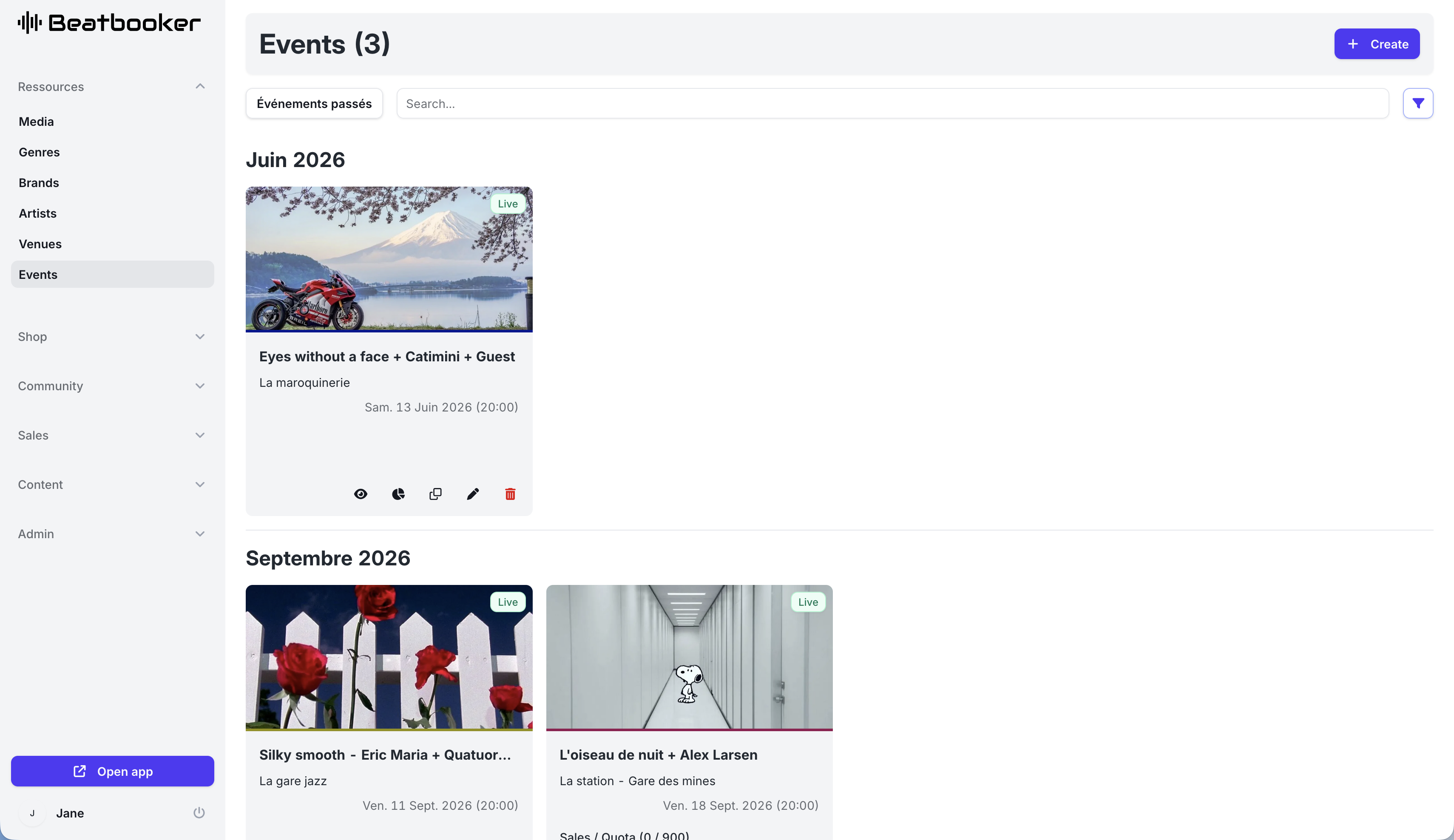
The list displays all events, grouped by month, their status, venue, date, and start time.
If an event is published, a link to its page is displayed. If it is linked to an external ticketing platform, a link to it is displayed. If it has tickets configured, a fill gauge and a button to adjust the quantities on sale are displayed.
Event Form
When creating or editing an event, the form is divided into several tabs:
- General
- Tickets
- Guests
- Dashboard
General
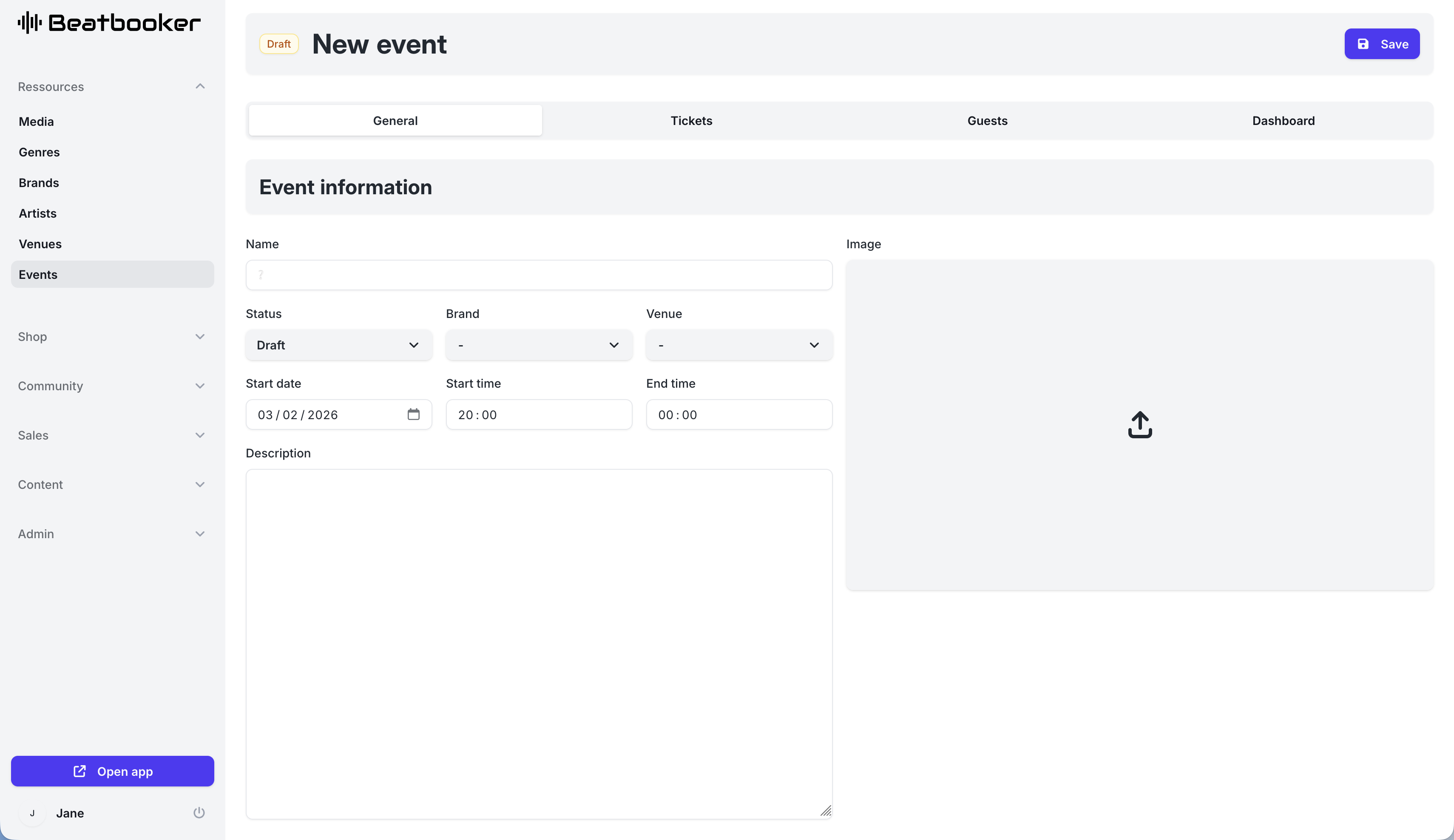
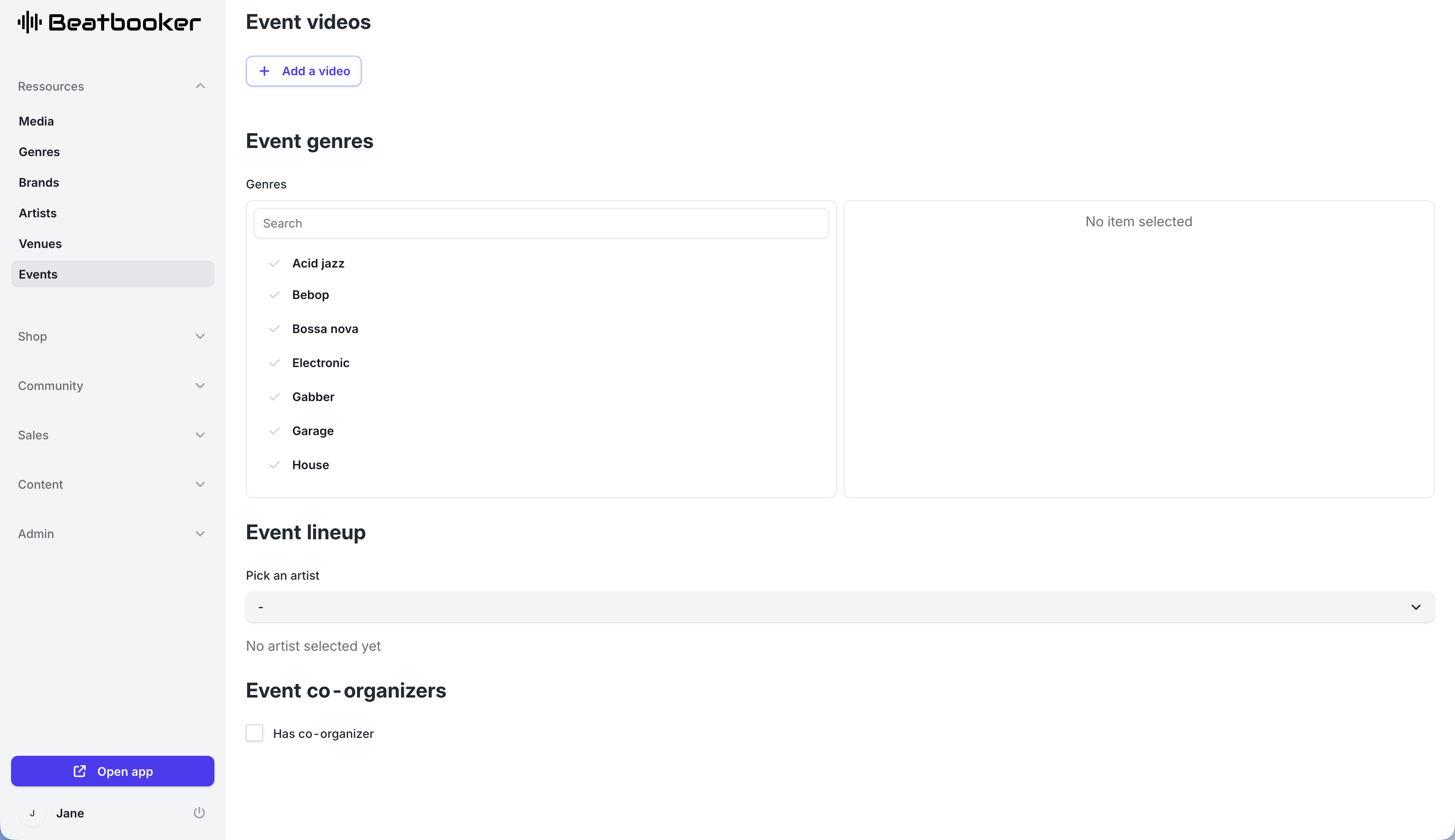
In the "general" tab, you need to fill in:
- The name of the event
- The status of the event
- Draft: the event is not published (invisible on the site)
- Live: the event is published
- Sold-out: the event is sold out (sales ended)
- Canceled: the event is canceled (sales ended)
- Archived: the event is archived (sales ended)
- The associated brand
- The venue of the event
- The date
- The start time
- The end time
- The description
- The cover image
- The associated videos (optional)
- The associated genres
- The lineup artists (optional)
- Whether the event has co-organizers
- If yes, the associated co-organizers