

Mediatheque
The mediatheque allows you to organize and manage the media on your site, which is then used by events, artists, and editable pages...
List
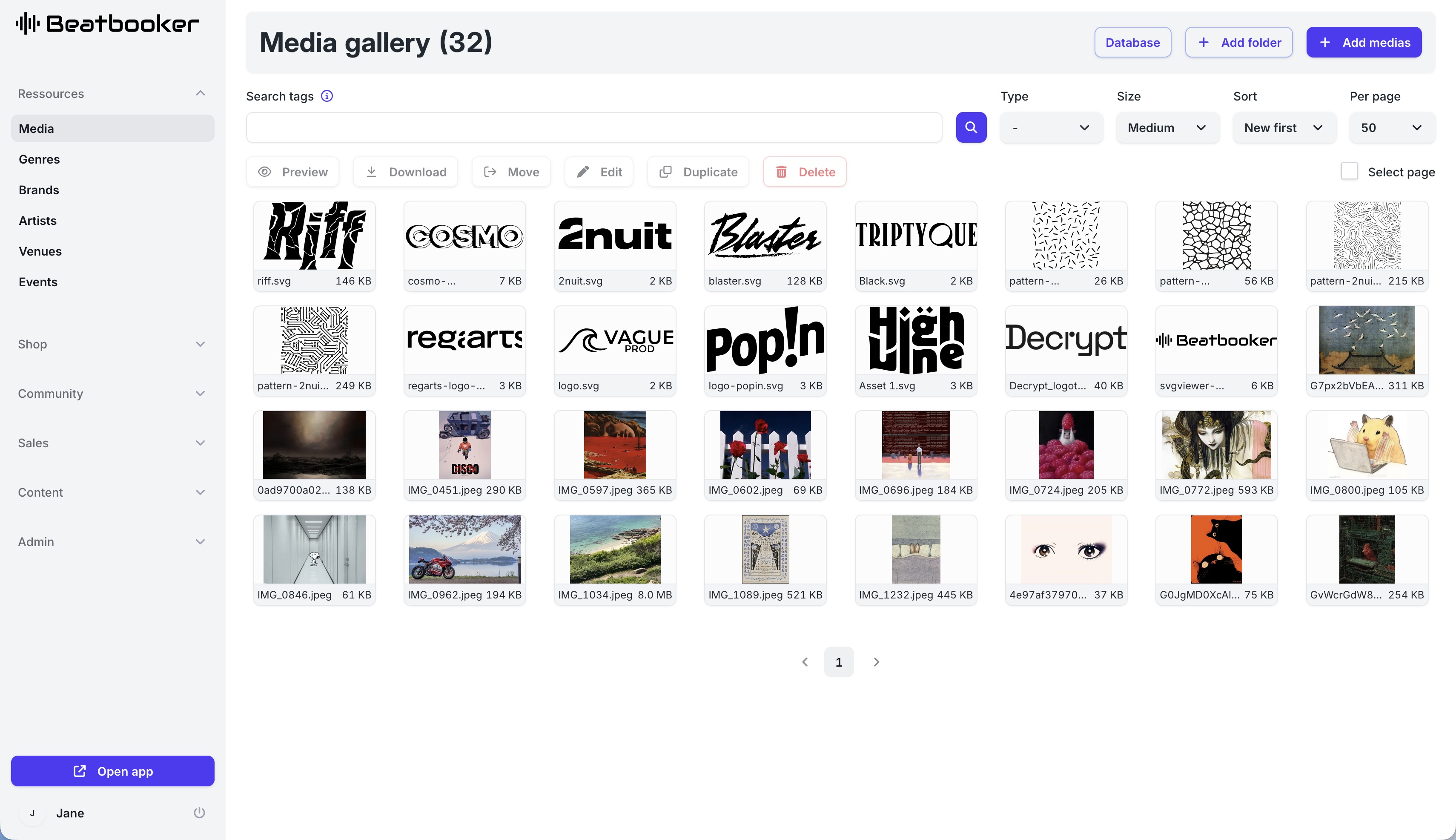
The list displays all media, filterable by type, name, and associated tags. You can create folders to organize your media.
Right-clicking on a media item brings up a menu with several actions.
You can also select multiple media items (by left-clicking on each media item you want to select) and use the group actions displayed under the search bar.
Form
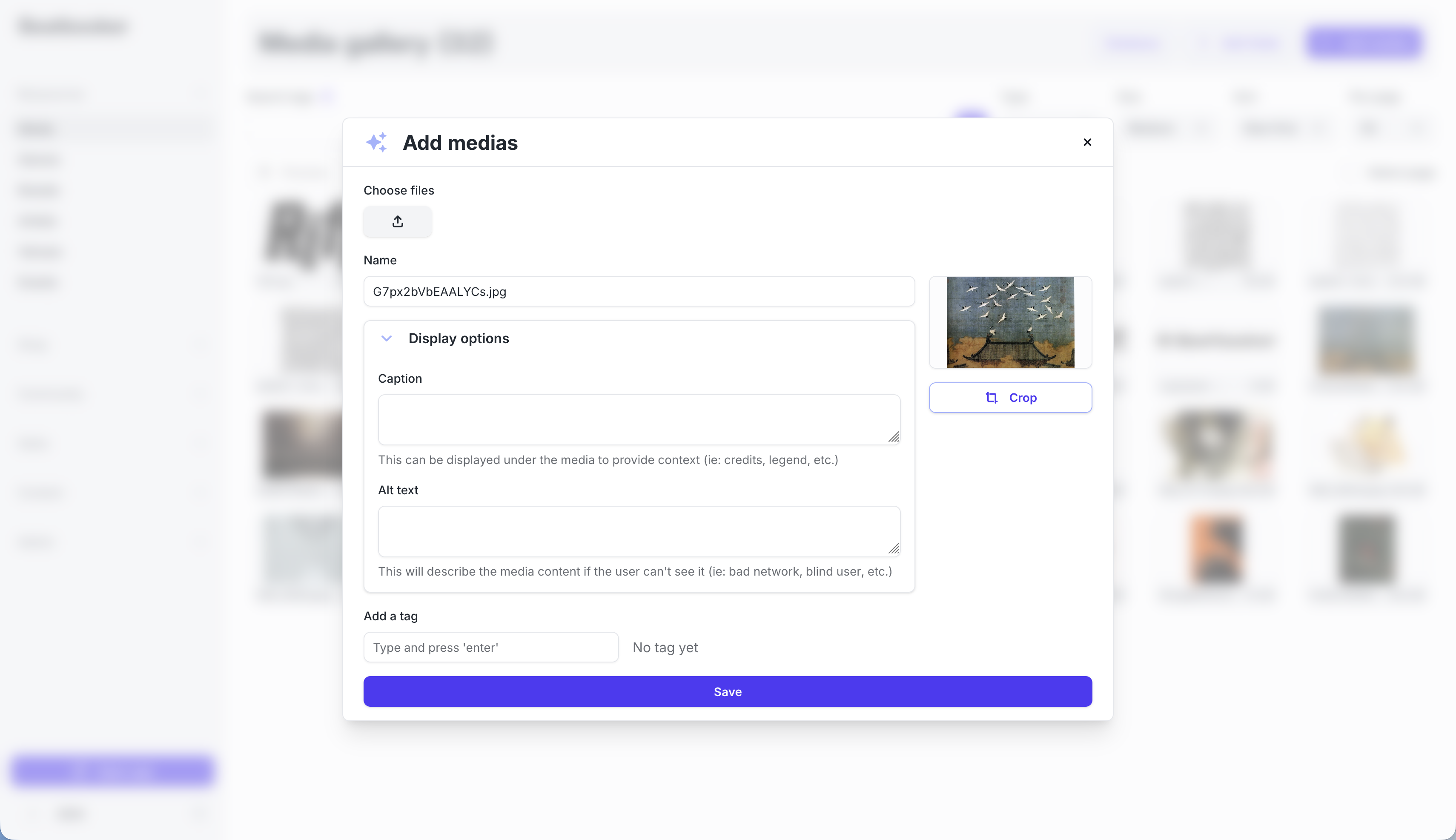
When adding or editing a media item, you must provide:
- The name of the media item
- Associated tags (optional)
- The caption (optional)
- The alternative text if it is an image (optional)
- The cover image if it is a video or audio (optional)
- Subtitles if it is a video (optional)
If it is an image, you can also choose to crop it.
Detailed View
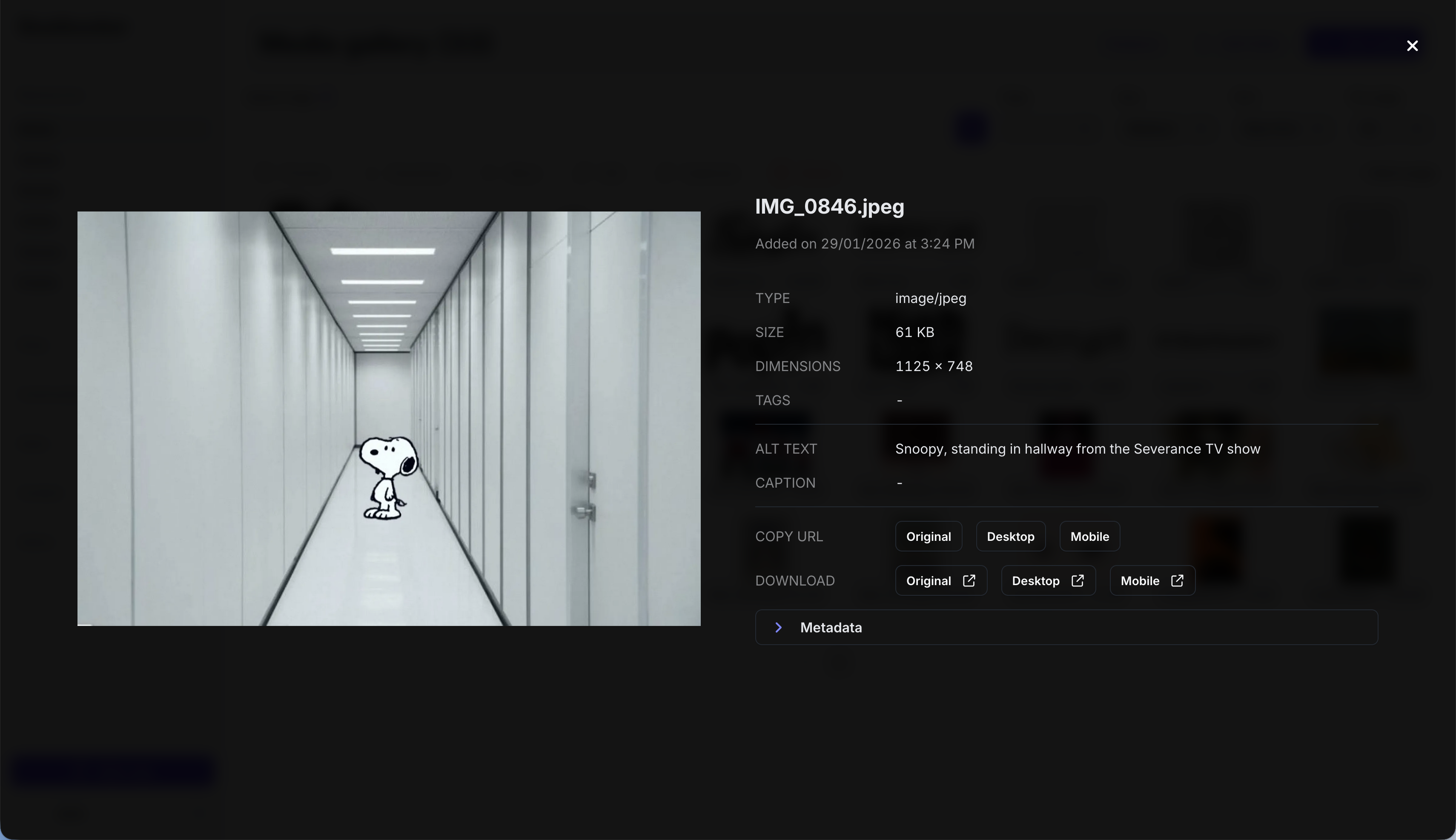
The detailed view of a media item displays the key information of the media, as well as download links for the different formats.